
How to Reactivate Your Urban Brew Subscription
Had a hiccup with your subscription? (Don’t worry, it happens to the best of us.) If your payment failed and your subscription paused itself in protest - this guide is for you. Just updating your card details won’t automatically bring your sub back to life - there’s one more step! But don’t stress - follow the quick steps below to reactivate your subscription and get your coffee flowing again. (Your caffeine fix is just a few clicks away.)
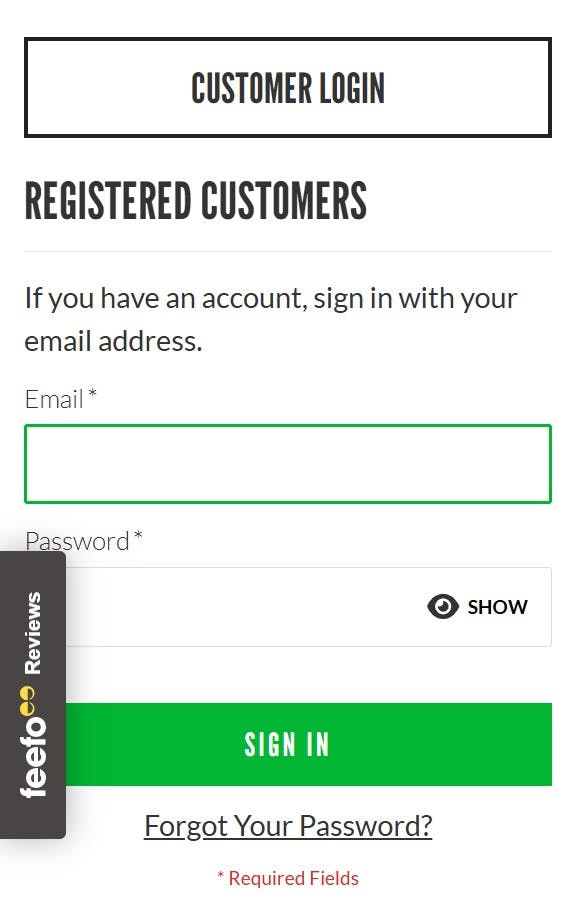
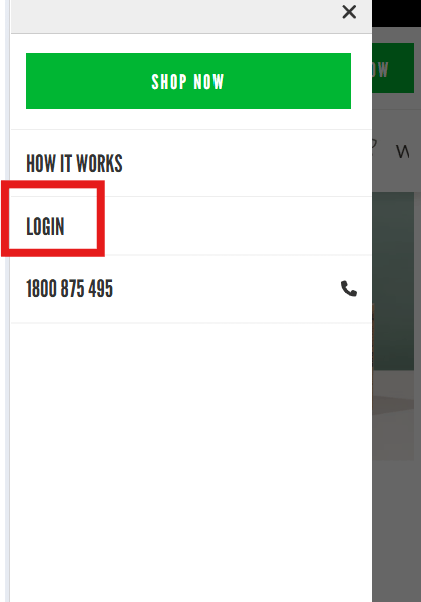
Step 1: Log into your account
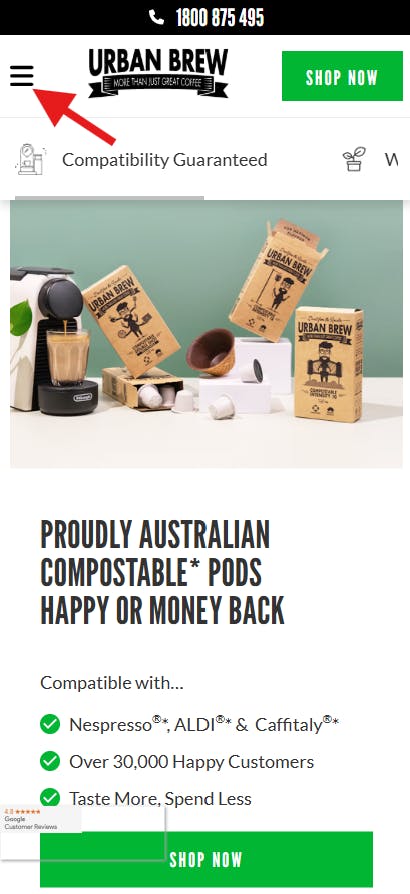
Step 2: Head to 'My Account'

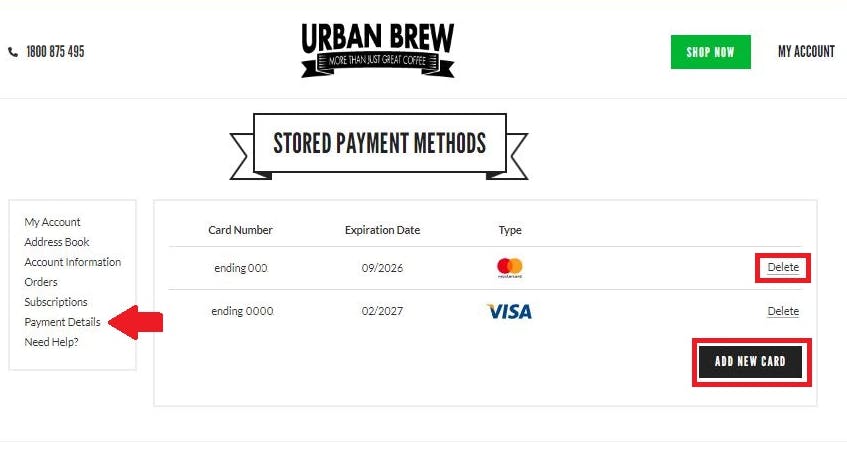
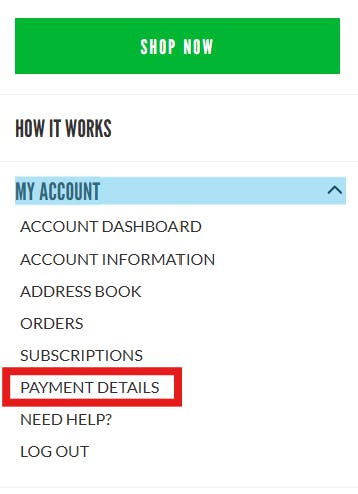
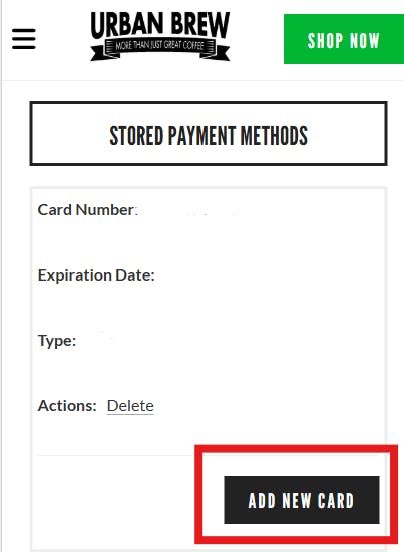
Step 3: Select 'Payment Details' to add, delete or update your card
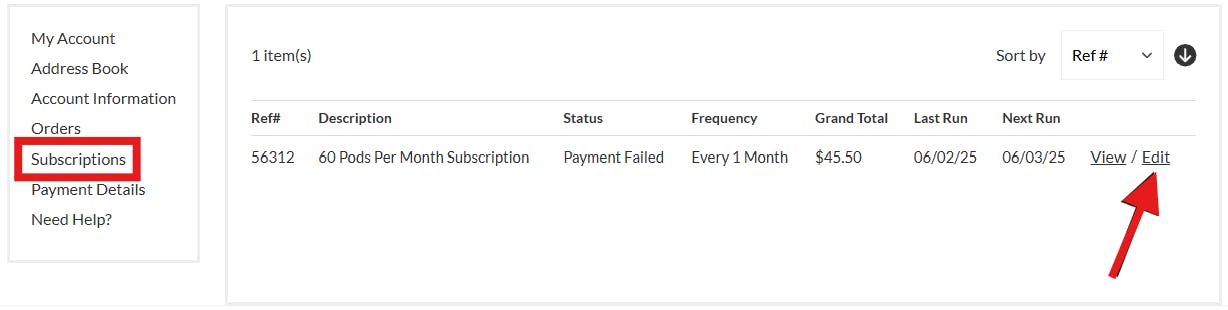
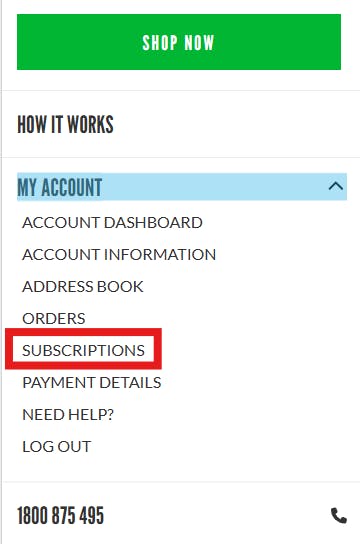
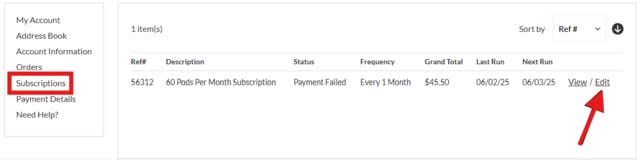
Step 4: Select 'Subscription' – then hit 'Edit'
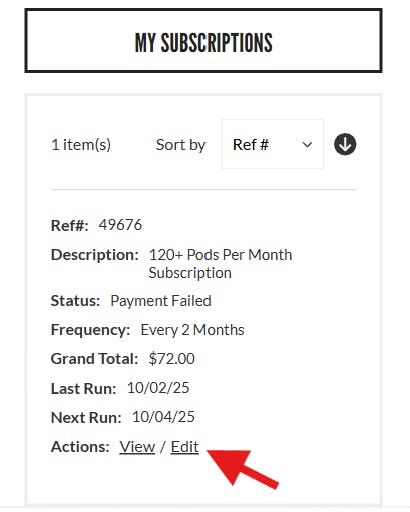
Step 5: Scroll down and select 'Reactivate Subscription'

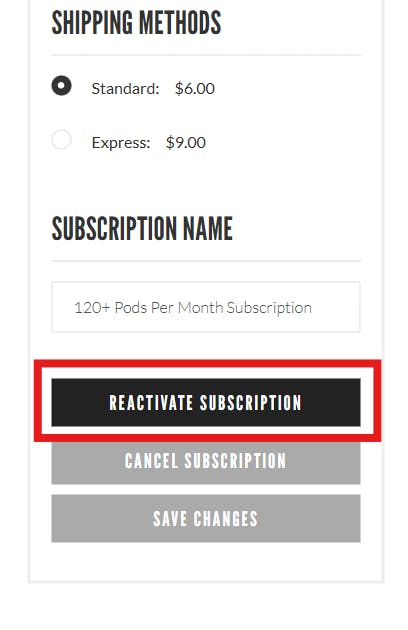
Step 6: Once reactivated, select 'Subscription' – then hit 'Edit' again
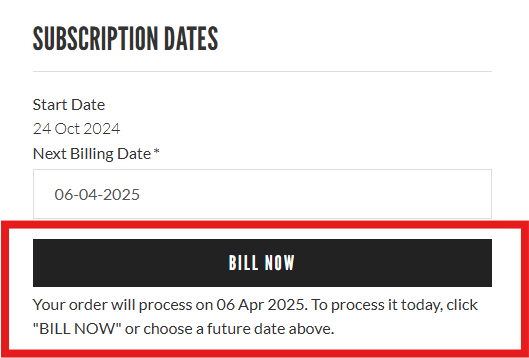
Step 7: Select 'Bill Now' to process your order instantly
And just like that – your coffee fix is sorted!
Need help? Our friendly crew is always here for you. Just shoot us a message and we’ll get things sorted quicker than you can say “double shot, extra froth!”
QUESTIONS? QUERIES? WANNA SAY HEY?
Checkout our FAQs, send me an email at hello@urbanbrew.co, call us on 1800 875 495 or text us on 0480 030 347. We are happy to help!
Be happy,

Toby Strong (aka The Podfather)
Founder & Customer Happiness Specialist